

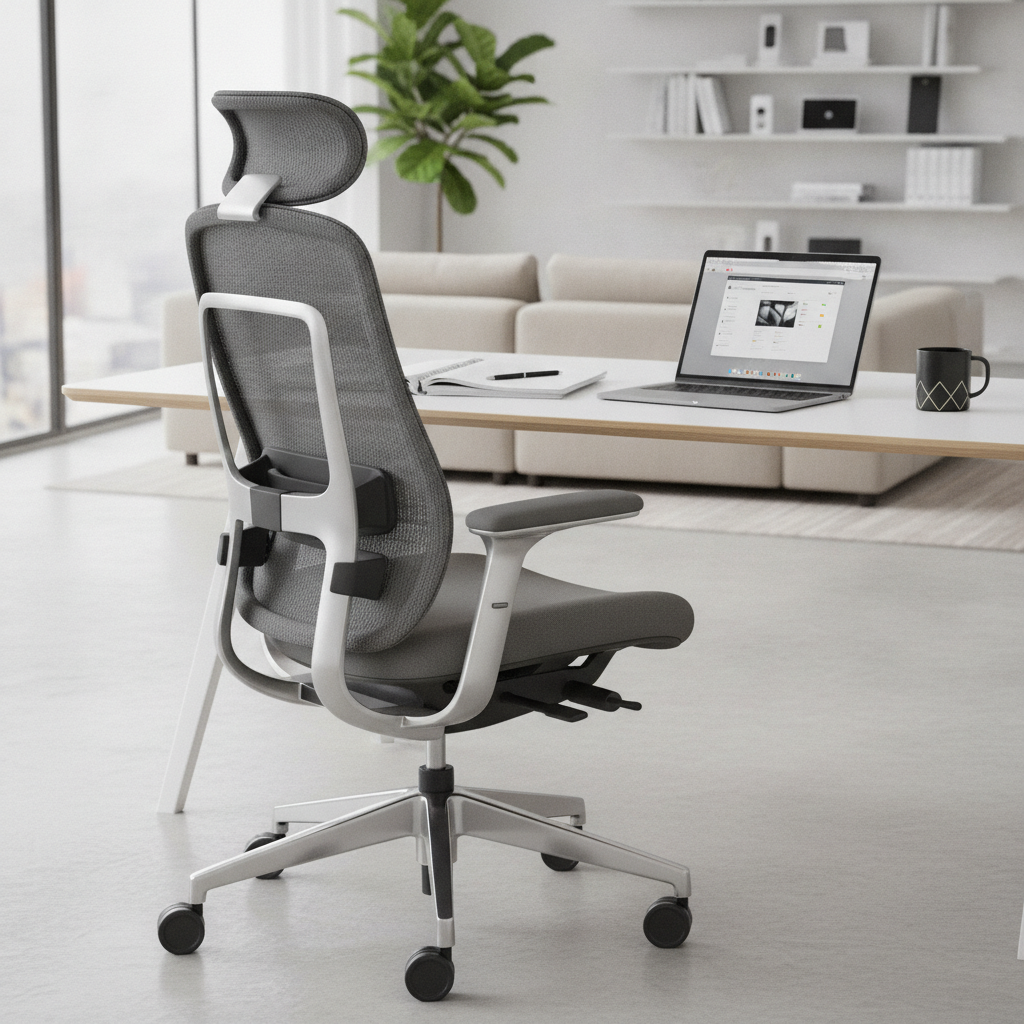
Why the Right Office Chair Matters for Long Hours
Impacts on Health and Productivity
Sitting in the same chair for many hours can affect your health. Using an uncomfortable chair may cause back pain, stiff muscles, and tiredness. The right office chair supports your body and helps you stay focused. If you are comfortable, you can work longer without feeling tired.
Common Problems from Poor Seating
- Back and neck pain
- Slouching and poor posture
- Reduced blood flow to legs
- Declining productivity and concentration
- Risk of repetitive strain injuries
Key Features to Look for in an Office Chair for Long Hours
Ergonomic Design Essentials
Ergonomics means a chair is designed to fit your body. Look for chairs that support your spine and let you move easily. Good ergonomic chairs can be adjusted to fit different people.
Adjustable Seat Height and Depth
- Seats should go up and down smoothly
- Choose a chair that lets you plant your feet flat on the floor
- Seat depth should allow you to sit with your back against the backrest, with about 2-3 fingers of space between your knee and the seat edge
Lumbar Support and Backrest Types
- Lumbar support helps keep your lower back comfortable
- Some chairs have adjustable lumbar pads, others shape the backrest to fit your spine
- Backrests should be tall enough to support your upper back and shoulders
Material and Breathability
- Mesh chairs allow air to flow and keep you cool
- Foam-padded or leather chairs give a softer feel but may get warm
- Pick materials that suit your climate and personal comfort
Armrests and Recline Functions
- Armrests should adjust up, down, and sideways
- They must let your arms rest naturally so shoulders are relaxed
- Some chairs let you tilt back or recline; it’s important for stretching and resting during long hours
Mobility and Swivel Base
- Wheels or casters should roll smoothly
- Swivel bases let you turn easily and reach for things without twisting your body
- Check if the chair is stable and safe for your floor type
Step-by-Step Process: How to Choose an Office Chair for Extended Use
1. Assessing Your Needs and Workspace
- Measure your desk height and available space
- Think about your sitting habits and health issues
- List features you need (like lumbar support or adjustable armrests)
2. Testing and Evaluating Comfort
- Try out chairs in-store if possible
- Sit for at least 10 minutes to check comfort
- Test all adjustment functions: height, backrest, armrests, and recline
- Check if your feet touch the floor and your knees are at a 90-degree angle
3. What to Avoid When Choosing a Chair
- Fixed, non-adjustable seats
- No lumbar support
- Hard, uncomfortable materials
- Small or thin seat cushions
- Armrests that cannot be adjusted
- Poor build quality or unstable base
Top Office Chairs for Long Hours in 2026
Best Overall Ergonomic Office Chair
This type offers full adjustability and strong lumbar support. It uses breathable mesh and fits most body types.
Best Value Chair for Long Workdays
These chairs balance price with comfort. They may lack some features but still include basics like adjustable seat height and a supportive backrest.
Best Chair for Back Pain Relief
Specialized for people with back issues. Look for deep lumbar support and cushioning.
Editor’s Pick for 2026
Combines all top features: ergonomic design, full adjustability, breathable material, and solid build quality. Suitable for students and office workers alike.
Office Chair Setup and Adjustment Tips for All-Day Comfort
Proper Chair Adjustment Guide
- Set seat height so your feet rest flat
- Adjust seat depth to support your thighs without putting pressure behind your knees
- Set lumbar support to fit your lower back
- Adjust armrests to keep elbows near your body and shoulders relaxed
- Use recline function to give your back rest during breaks
Complementing Your Chair: Desk and Accessories
- Use a desk at the right height
- Try a footrest if your feet don’t touch the floor
- Add cushions for added comfort if needed
- Keep necessary items within reach to avoid awkward stretches
Frequently Asked Questions About Choosing Office Chairs for Long Hours
- How much should I spend for a good office chair? — Quality chairs start around $100 and go higher with more features.
- Why do I need lumbar support? — It prevents back pain and encourages healthy sitting posture.
- Can adjusting armrests really help? — Yes, proper armrest position reduces shoulder and neck strain.
- Is mesh better than leather? — Mesh keeps you cool, but leather offers a softer sitting experience.
- What if the chair is too high? — Use a footrest or check if the seat height is adjustable.
Summary: Key Points and Next Steps
- Office chairs for long hours must be ergonomic, adjustable, and comfortable
- Test chairs and check if they fit your needs and workspace
- Remember: lumbar support, right materials, and proper adjustment matter for health
- Consider top picks for 2026 or ask for expert advice if unsure
Review this guide before you shop. Choosing the right office chair is an investment in comfort, productivity, and well-being. Next, make a list of must-have features and start searching for the best office chair for your needs!